20 Mar

Zorin OS 6 Lite

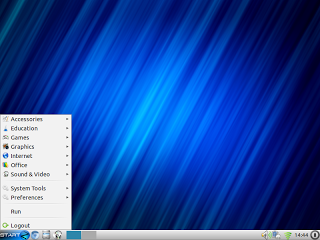
Ayrton Zorin strikes again with the new version of Zorin OS 6 Lite, based on Lubuntu 11.10 core and now comes with LXDE environment. This release includes a new and refined Software Center, as well as other known tools like Zorin Look Changer, Zorin Internet Browser Manager, Zorin OS Lite Extra Software and other programs from earlier versions in Zorin OS. You can download here (please, be sure you use the “lite” section, or the heavier desktop version will downloaded otherwise).

09 Mar

Linux Mint 12 LXDE

According to its website, “this is the first release of Linux Mint using Hybrid ISO images.

Traditionally, tools such as ‘Startup Disk Creator’ or ‘UNetbootin’ were needed to install Linux Mint via USB. With hybrid images, you can simply use the “dd” command or a graphical frontend to make a bootable USB stick with no efforts which acts exactly like a liveDVD”.

Linux Mint 12 LXDE is based on Ubuntu 11.10, with kernel 3 and LXDE 0.5.0 customized as the usual greenish theme. You can download Mint here and see the new features here.
28 Feb

WattOS R5

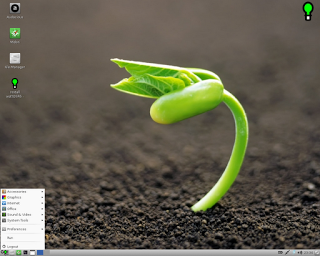
A new release of this minimal concept of Ubuntu using LXDE environment, the release of WattOS R5, based on 11.10 (Oneiric Ocelot) with the latest updates and featuring a lot of changes from R4:

  • Midori (with Flash support), Transmission and Filezilla
  • Audacious (streaming support included) and SMPlayer
  • Leafpad and KeepassX
  • Pinta, Cheese, Gnumeric and Abiword
  • improvements like ACPI, powertop, psensor, Jupiter and kernel 3.0.0-16

You can download it here. I highly recommend visiting the forum, where you’ll find a lot of information and advices.

04 Feb

DEFT Linux 7

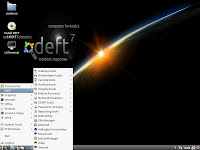
Another Linux distro updated now with Lubuntu in its core: DEFT Linux 7. This is a great recovery and forensic distro with lots of tools to aid for repairing partitions, damaged clusters, recover lost data, make network tests and configurations, etc. I can’t write the whole list of apps included in this release, not enough space 🙂


Mmm, thatartwork sounds familiar to me… 😀

03 Feb

LxScreenshot

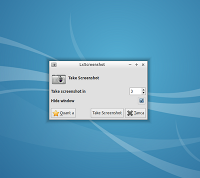
A new great tool ready for using with our beloved Lubuntu: LxScreenshot! This is another brilliant creation from the Stefano, the same author of LxFind. You can imagine what’s its purpose, creating screen captures with ease and a simple interface, with timing capture (in seconds) and the option to choose the folder to save it on.


You can install this tool just by looking for it with the Lubuntu Software Center if you added the PPA. If not, type this in a terminal:
sudo add-apt-repository ppa:lubuntu-desktop/ppa && sudo apt-get update && sudo apt-get install lxscreenshot

It’s highly recommendable to put a handy button on the panel quicklaunch for executing it.

29 Jan

Ozone 3

Almost there. The default theme for Lubuntu, Ozone, is near to its final version. Lubuntu 12.04 Precise Pangolin is getting more and more polished. But if you can’t wait, or you have another version (or a distro with the LXDE environment) feel free to test it. Download here.

21 Jan

LxFind

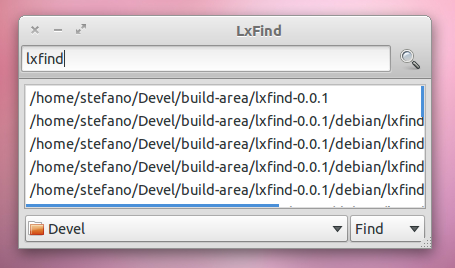
Haven’t tried LxFind yet? For those who doesn’t know it, it will be the default file and document search tool or Lubuntu. For trying it (remember, it’s not an ultimate comilation) put this on a terminal:

sudo add-apt-repository ppa:lubuntu-desktop/ppa

sudo apt-get update && sudo apt-get install lxfind

 If you already added our PPA just install the package “lxfind”.

17 Jan

Review: Peppermint Two & Leenux

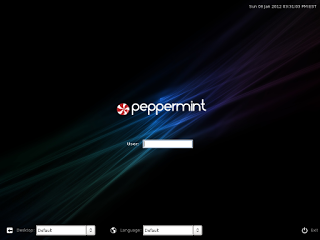
While we’re waiting for the next release of Lubuntu 12.04, the Precise Pangolin, other distros are posting about their goals. One of those is Peppermint OS Two, a Lubuntu based distro oriented to the cloud. So many applications has been removed from the installation process, and gives more Google-ized tasks, like GMail, Google Reader, Docs, etc. making it absolutely necessary to have a good broadband connection to the Internet.

Another one that follows the trendy way of using (L)ubuntu as its core was Leenux, that presents the fifth distro with more editions, Unity, LXDE and the old Ubuntu Netbook interface (from the deceased EasyPeasy). Sorry, no LXDE screenshots yet.


02 Jan

Happy New Year!

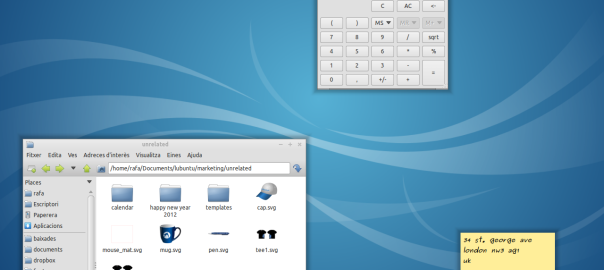
Yesterday Lubuntu had a funny way to wish users a Happy New Year 2012: changing the default wallpaper to a sweet message from the Team. If you haven’t updated yet do it and your wallpaper will change (calm down, it’s not forever) and if you’re using a custom one, you can download it here.
Also, try to find the easter egg.
06 Dec

Cairo Composite Manager

Beautify your Lubuntu with this handy tool. Thanks to Sergey Davidoff, who shared his PPA. I’ve already recommended xcompmgr, but it’s difficult to config because it’s CLI (command line) only. This great app has a nice config gui among other things, like plugins, wide settings, and much more. Now it’s available for Lubuntu 11.10 (or any other Ubuntu flavour).You can install this by typing this in a terminal:

sudo add-apt-repository ppa:shnatsel/staging
sudo apt-get update
sudo apt-get install cairo-compmgr

And look for it at the system menu. Have fun!