02 Dec

Customize your clock

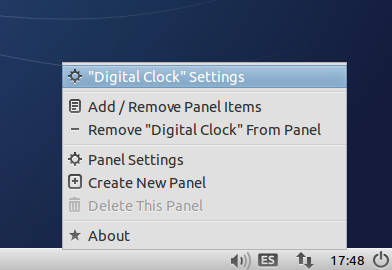
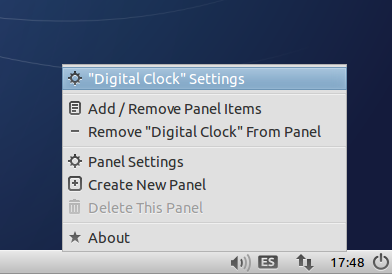
The clock of your panel is a very handy and customizable tool. You can
make it show whatever you want with a few single steps, using codes
called strftime. You don’t need to memorize them all, just use the ones
you need, copy and paste. That easy…

This how this new article of our Tips’n’Tricks collection starts. Have a look!

And remember, if you have another tip or advice, and want it published at Lubuntu Blog, don’t hesitate and send it.

Edit: sorry for not posting this as a blog new.

28 Nov

Restyling Box

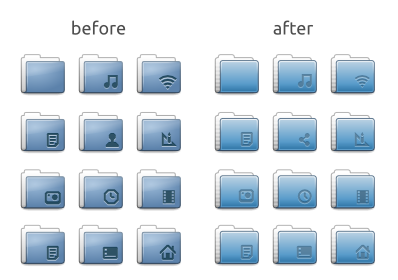
Arriving to version 0.43, we found the inspiration (or the need) to revisit the current icon theme. Just a few retouches here and there, a lot of (colour) improvements and (grid) adjustments, returned a refreshed air on all folders and related glyphs, and an overall smoothing look. Now the theme is a bit more sharp than before, and sure more clear for reading in small and big screens. Here’s the sample:

Also, if you use any dock (docky, plank,  or you just use a huge lxPanel) you’ll notice the completed new sizes. If you have installed Lubuntu 13.10 don’t worry, updates will arrive in a few weeks.

21 Nov

In progress…

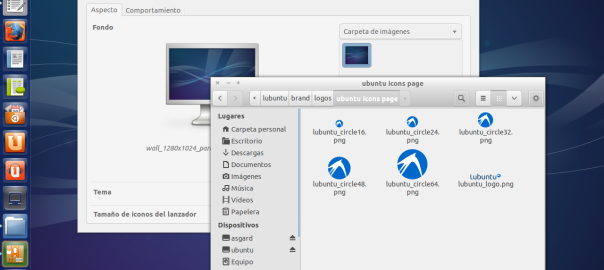
Sure you were busy knowing the new release of Lubuntu, codenammed Saucy Salamander. But work isn’t finished. There’re still a lot of things to do. Beside this, I’m working on some crazy idea, about Lubuntu artwork. What about making Box theme working in other environment? Something like Lubuntu “possesing” other desktops? As I said, a work in progress…

18 Oct

Saucy Salamander is out!

Finally the day arrived. New ISOs for every model of architecture are available. I updated the downloads section where you can grab the new Lubuntu Saucy Salamander with all these improvements (among others not so visible):

  • LightDM using a simple GTK+ greeter
  • Firefox as the new web browser for Lubuntu 13.10
  • new version of PCManFM and libfm including a built-in search utility
  • artwork improvements, new wallpapers, community wallpapers and icons
  • removed Catfish since PCManFM has its own search utility
  • fixed a very old bug causing GNOME MPlayer to crash with some CPUs
  • several fixes for the GPicView image viewer

Go to downloads section and get it for free now!

14 Oct

Corbin’s countdown

Thanks to Corbin Davenport for these amazing countdown clocks. There’s one for Lubuntu flavour and another for Ubuntu. For Lubuntu:

…and its code:


<iframe src=”http://www.corbindavenport.com/ubuntu/lubuntu.html” style=”width:180px; height:150px; border:0px;”>There was an error loading the countdown.</iframe>

For Ubuntu:


…and the code:


<iframe src=”http://www.corbindavenport.com/ubuntu/ubuntu.html” style=”width:180px; height:150px; border:0px;”>There was an error loading the countdown.</iframe>

05 Oct

Box 0.41 (icon theme)

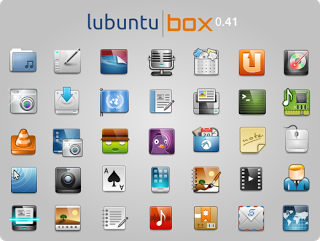
The default icon theme, Box, has reached another completion hit, version 0.41 is one of the most all-covered and complete icon themes over there. More than 2800 objects (icons and symlinks, apps, devices, filetypes, actions, etc) make this a suitable theme for any Linux based OS.

I’d like to thank Julien Lavergne for collecting every upload we made and creating a handy deb package, and my partner at the Lubuntu Artwork Team, Alexander Andjelkovich, without you this theme wouldn’t exist.If you’re going to download and install Lubuntu 13.10 you’ll have it by default (check release schedule). If not, you can check it out here, and choose your architecture here. Next step? Maybe a full Unity compliant Box theme 😉


30 Sep

Lubuntu 13.10 beta 2

Just wanted to inform that the second beta of Lubuntu Saucy Salamander is out (as published at the mailing lists and the Fridge). If you want to test this system feel free to download (PC32, PC64 and Mac). If you prefer to use Torrent files you can get them here.

More changes are included in this “cooked” ISO, like the complete removal of Chromium (getting back Firefox), the zRAM module, updated (and more complete) icon theme, redesigned LightDM theme, etc.