Category Archives: Uncategorized
Lubuntu Screencast – Network Manager
Thanks to SilverLion for his work. The easiest way to explain how to fix a bug, for those who didn’t read the Release Notes and want to know what’s happening with thir internet connections. A Screencast is worth a thounsand words!
Box 0.46
Just another update. Box now reaches 0.46 inside Lubuntu Trusty Tahr artwork package or as a standalone for your preferred Linux distro.Lots of more apps and other things were added. If you want touse it just add the Daily PPA to your sources and voilá, or download directly from the Artwork section.

LXQt-Admin: System admin tools for LXQt arrived
It’s known that system admin tools for LXQt were lacking.
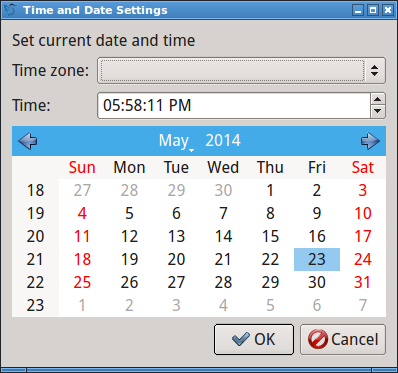
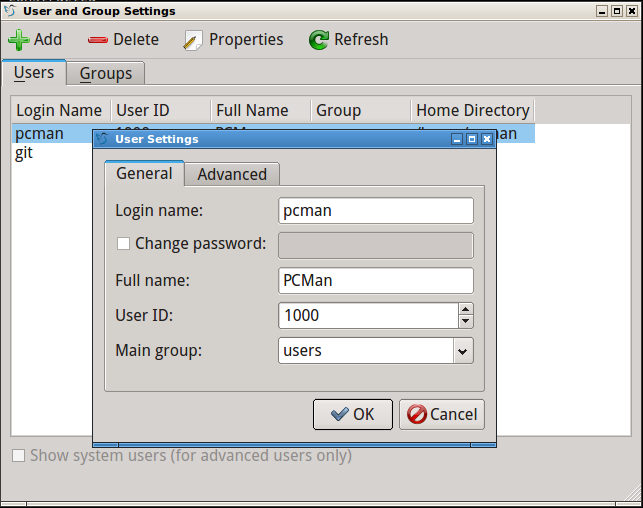
This is no longer true. A new component lxqt-admin landed int our git repo. Please see the screenshots. 🙂 These are “desktop-independent” pure Qt tools based on system-tool-backends.
lxqt-admin-time: Tool to configure date and time.
lxqt-admin-user: Tool to manage users and groups.
We know that LXQt is not good enough, but it will getting better and better. Long live LXQt, the classic desktop!
Repost via LXDE Blog
PPA for LTS packages
As many of you already know, Lubuntu 14.04 is an LTS release. That means we have a lot of time to fix bugs and upload newer packages. Julien Lavergne has recently posted a new PPA for that “maintenance” purpose. If you want to upgrade all your system, including the artwork ;), open a terminal and paste these:
sudo add-apt-repository -y ppa:lubuntu-dev/staging
sudo apt-get update && sudo apt-get dist-upgrade
You’ll notice that artwork will change, nm-applet is fixed now (bye to some wi-fi connections problems) and solved the autostart issue. Have fun!
Finishing LXQT
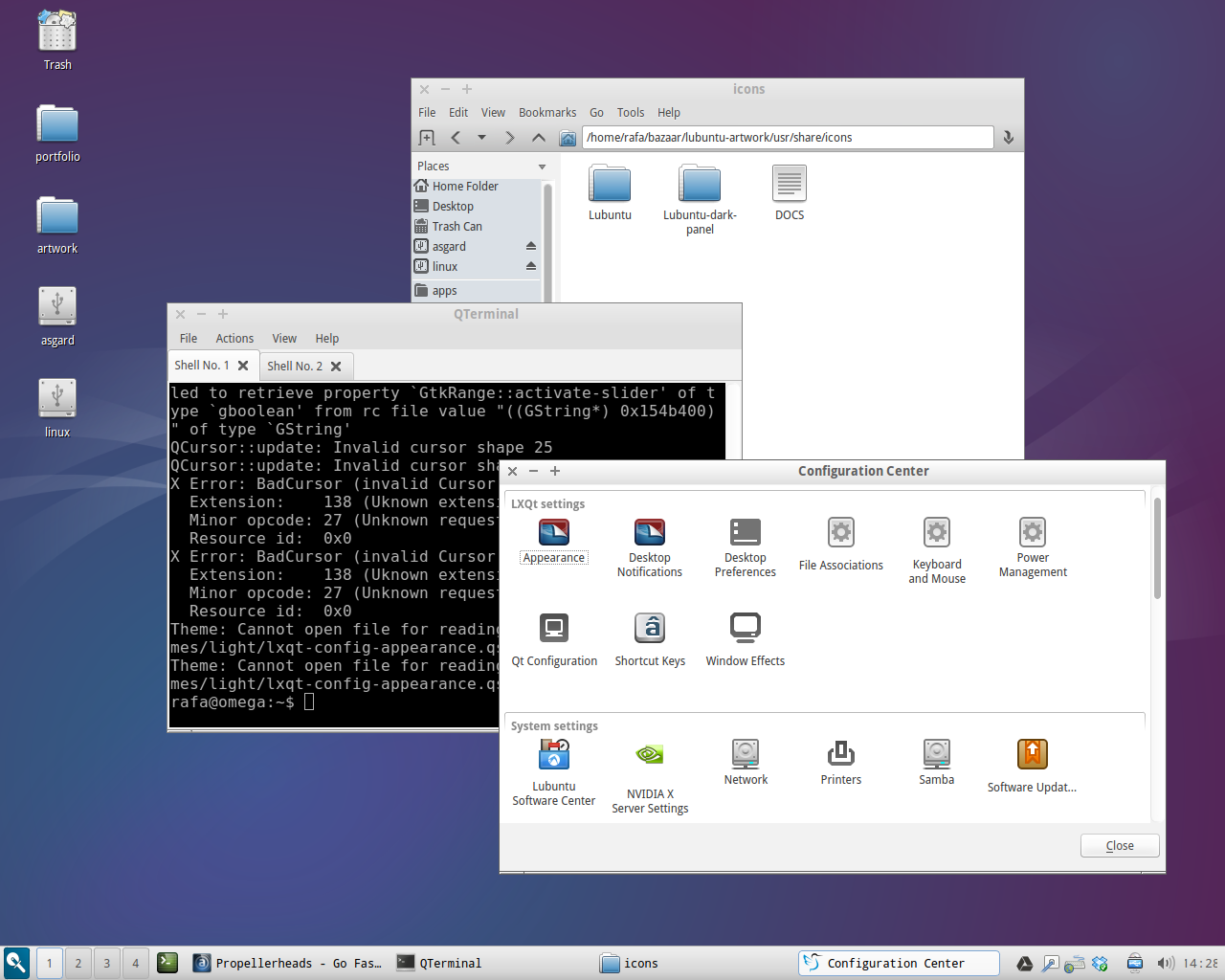
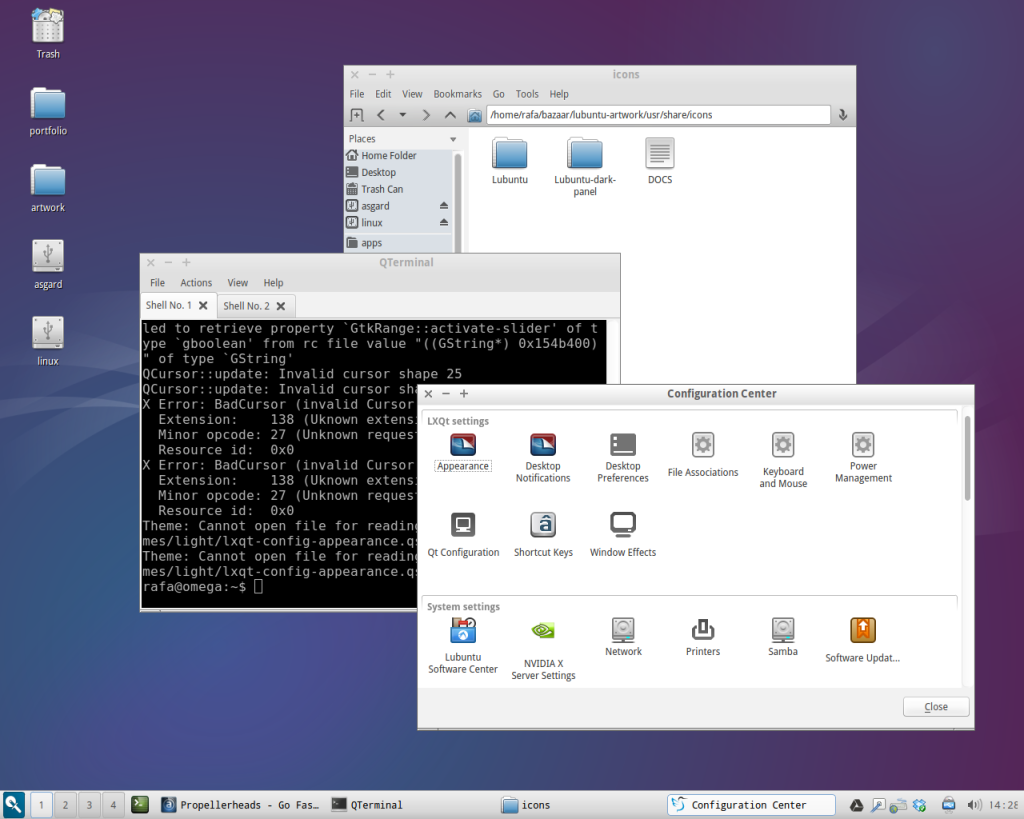
The guys from LXQT desktop (formerly Razor-QT) are finishing all details to make it usable and stable. The new desktop is able to do common tasks, using the file manager and configure the look and feel (even I’ve had some troubles to enable Box theme). But this promises to be a great desktop, and fast. One polished the RAM consumption (see LXDE blog for details) the DE will be ready for everyday’s use.
I doesn’t look so bad, does it? What do you think about adding a QT session to Lubuntu?
Trusty CD cover
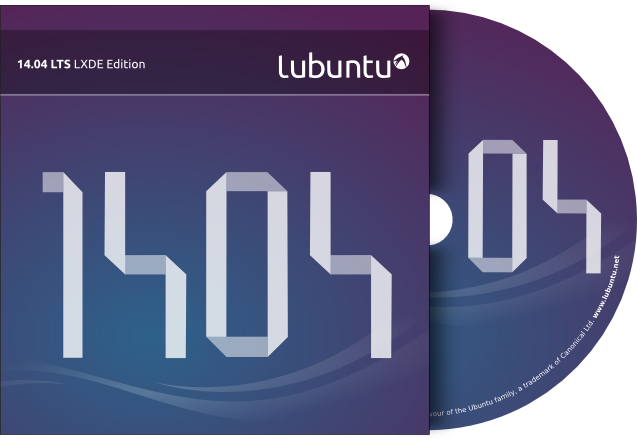
As you may know Canonical has released another wallet for Ubuntu 14.04 Trusty Tahr, as it is an LTS version it may deserve that. So we have one too. And you all know me, I’m so “Canonicalized” I only publish “official” artwork when Canonical does, but this time for our flavour Lubuntu.
You can download the Lubuntu wallet here. It includes a normal CD / DVD cover, a disc imprint and a Lightscribe version, both with and without hole (thanks for that advice) with, of course, source SVG included. I hope you like it!
Lubuntu 14.04
First of all, my apologies for disappear due to personal reasons (went out for a few days). But it’s here, Lubuntu 14.04 codename Trusty Tahr. The missing links for PowerPC machines have been recovered. Feel free to go to the Downloads section and grab it. If you need more info check the release page.
Ubuntu One shutting down
Ubuntu One is about to close. Canonical can’t continue offering this service anymore. This is really annoying to all of us, who trusted in their (excellent, by the way) service, the high transfer ratio and the space. But for this blog this can be awful, because all the links in this site are pointing to files hosted in this service, and now I have to migrate all of them.
I’d like to apologize for advance if any link may be unavailable, it’ll be temporary. I’ll ask for your comprehension and I’m open to any advice or call of attention at any missing link. Don’t hesitate to ping me about broken links, I’ll fix them as soon as posible.
You can read all the information at the Ubuntu One blog.
Box theme 0.45
Only two for the forthcoming Trusty Tahr release, and as I promised, I uploaded Box 0.45 with full support for dark panels, including icons for both panels, themes for dark and light panels, and a smaller version of the Openbox theme. Changes in this package:
- added dark panel gtk theme
- added matching white panel icons
- small and big versions of window controls
- complete set of stock and gnome icons
- fixes for gtkheaderbar (client side decorations)
- full suppot for Unity, XFCE and Gnome
- added 3rd party applications extra icons
And more to come. Please, feel free to test it on every Linux desktop. Grab both packages at the downloads section, decompress and enjoy!