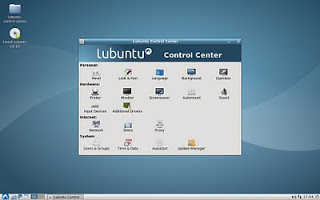
Control Center

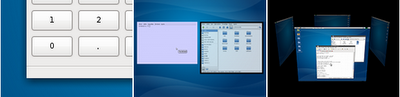
For those who think that low-resources systems are not able to have a bit of candyness, I must say they’re wrong. How to do this on Lubuntu? After reading the great Urukrama’s blog about Openbox configuration we can now do some tricks to do that job.
…and that’s it, we have virtual desktops in 3D, using ctrl+alt+left or right, just like Compiz. That’s all, folks. I hope you like it!

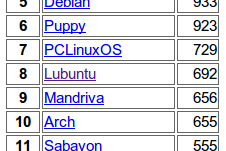
 See the image, or see it by yourself at Distrowatch. Lubuntu is the 8th linux distribution according download ratios. We have overcome one of the first ones, over other famous distros like Mandriva, Gentoo, Slackware, etc. So we have to continue the effort and going ahead. Congratulations to all the people who made this possible!
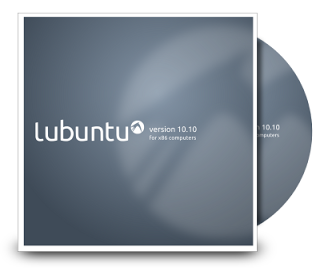
First an alpha, then one or two betas… and finally a final version will arrive. Waiting for that moment we’re updating some marketing and promo things. Now is turn for the CD wallet and disc printings. Check it out at the marketing place!


<irony> I’m really glad about this (compare the artwork) </irony>
Panel and menu button from Lubuntu Lucid Lynx (last year dated):

Panel and menu button from SalixOS 13.1 (presented today at DistroWatch):


It was necessary, unifying visual configuration of the environment in one application. So, here it is. LxAppearance can now change, at once, details such as icons, controls, colours, mouse cursors and window decoration. It only lacks the ability to change the desktop wallpaper. Better for novices and those who don’t like complicated things. It will be available in the repo soon.